





How to Troubleshoot Laser Cutting Breakpoints Effectively?
Breakpoints in laser cutting are a frequent headache that can interrupt production runs, harm cutting accuracy, and add to material waste. If you keep seeing cuts that stop short, sudden stoppages, or uneven edge quality, it is vital to get to the real cause. From my experience, these faults are usually tied to flaws in the material itself, wrongly set cutting parameters, consumables that are past their best, or problems in the mechanical drive system. In this article, I set out a clear, practical process for locating and removing these faults quickly. Follow the steps here and you can make cutting steadier, hold edge finish, cut downtime, and keep the machine performing at its best across a wide range of sheet metal jobs.
What Lies Behind Laser Cutting Breakpoints
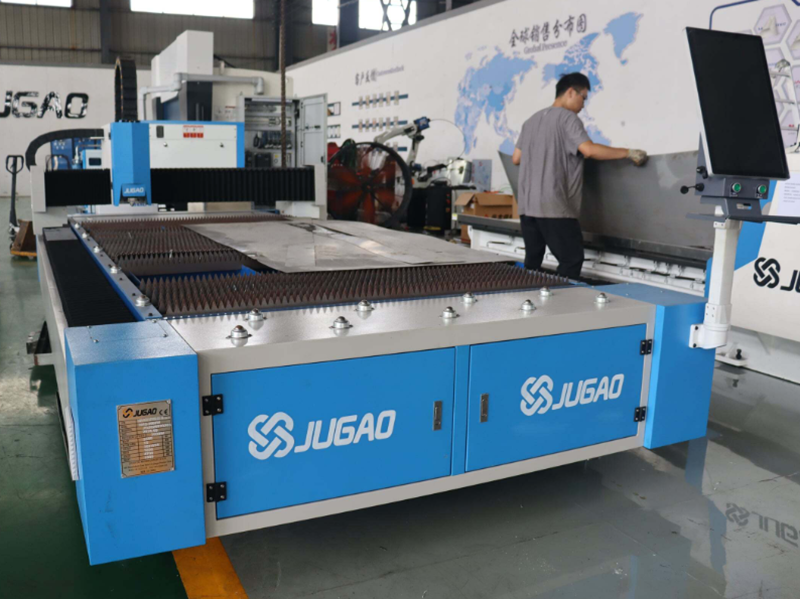
Material Properties and Surface State
Breakpoints can appear when the sheet thickness, hardness, or surface oxidation changes from one area to another. An uneven or highly reflective face can scatter the beam and make penetration inconsistent.
Machine Parameters and Process Settings
Cutting at the wrong speed, with too much or too little laser power, or with an off focal height can leave weak spots along the cut. Quick acceleration, very high feed rates, or an unstable gas flow can also lead to breakpoints.
Tooling and Nozzle Condition
A nozzle or set of optics that is worn or out of line lowers the quality and stability of the beam. Lenses that are dirty scatter the energy and can cause the cut to stop or break.
Mechanical and Motion System Faults
Backlash, rails that are not aligned, or worn bearings can introduce vibration or position drift. Such mechanical faults show up as uneven results along the cutting path.
A Step-by-Step Approach to Fixing Breakpoints
Step 1: Inspect the Material
Look over the sheet for thickness changes, surface rust, or dirt. Choosing uniform, clean stock lowers the chance of breakpoints.
Step 2: Verify the Machine Parameters
Go through the cutting speed, laser power, and focal height and adjust them as needed. Use the values recommended for the material and the machine maker's guidance to get the best result.
Step 3: Check the Optics and Nozzles
Clean the lenses and mirrors, and look at the nozzle for wear or misalignment. Swap out any part that shows damage so the beam keeps its quality.
Step 4: Assess the Mechanical Components
Inspect the rails, bearings, and drive system for wear, vibration, or backlash. Tighten or replace parts so that the movement stays smooth and precise.
Step 5: Carry Out Test Cuts
Run small trial cuts on scrap to watch for breakpoints, then make step-by-step adjustments to the settings based on what you see.
Step 6: Set Up Continuous Monitoring
Use sensors or vision systems when they are available to spot irregularities in real time. Catching a fault early stops full-part failures and wasted material.
Best Practices to Keep Breakpoints Away
Routine Maintenance
Set up regular checks and cleaning of the optics, nozzles, and motion system, and make sure the machine is lubricated and aligned correctly.
Material Quality Control
Buy consistent, high-grade sheets and watch how they are stored so that surface oxidation and warping do not develop.
Operator Training
Make sure operators know how parameters and material condition affect the result, and train them to adjust settings and to notice the early signs of a breakpoint.
Documenting Settings and Adjustments
Keep records of the successful parameter sets for each material type. That cuts down the time spent re-tuning the same jobs.
Frequently Asked Questions
What usually causes Laser Cutting Breakpoints?
They commonly come from uneven material, wrong machine settings, worn optics, or parts of the machine being out of alignment.
How can the cause of a breakpoint be identified quickly?
Start by checking the material, then move to the machine settings and the optics, and finally look at the alignment of the motion system. Working through these one by one pinpoints the source.
Can preventive maintenance lower the number of breakpoints?
Yes. Regular cleaning, lubrication, and inspection of the optics and mechanical parts cut the number of breakpoints by a large margin.
Conclusion
Dealing with Laser Cutting Breakpoints well calls for an orderly method: look at the material, confirm the settings, check the optics, and make sure the mechanical parts are in good shape. When you combine proactive maintenance, sound material selection, and proper operator training, breakpoints drop, precision improves, and wasted material falls. For more help or technical advice, our JUGAO team is ready to assist you in optimizing your laser cutting operations.

