





Why Does Laser Cutting Nozzle Damage Occur Often?
Nozzle damage on a laser cutter is among the most frequent problems met in daily production. If you are changing nozzles more often than you think you should, you are likely asking what keeps going wrong. In my experience, a damaged nozzle is seldom the work of one cause alone. It is usually the result of cutting settings that are off, the nozzle bumping the work, gas that is not clean, dirt building up, or maintenance that has slipped. In this article I set out the common reasons behind laser cutting nozzle damage, how to find out what is wrong, and the steps I take to make nozzles last longer while keeping cutting quality and machine performance high.
Why the Nozzle Means So Much
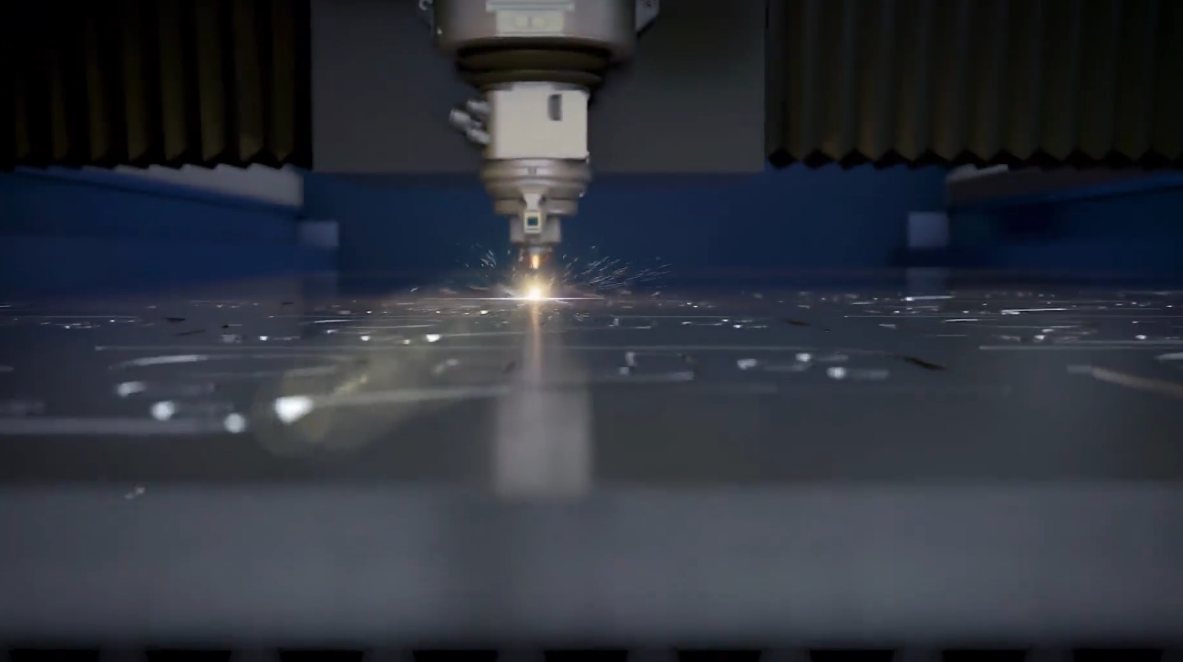
What the Nozzle Does in Laser Cutting
The nozzle is a key part of the cutting head. It points the assist gas toward the cutting zone and helps push molten material out of the kerf.
When the nozzle works as it should, it helps:
- Produce better cutting quality
- Keep the gas flow steady
- Shield the optical parts
- Raise cutting efficiency
- Cut down on production defects
Even a small bit of nozzle damage can throw off the whole cutting process.
How a Damaged Nozzle Hurts Production
When the nozzle gets damaged, I often see a run of telltale signs:
- Rough cut edges
- Too much slag forming
- Cuts that do not go all the way through
- Higher gas use
- Cutting that keeps stopping
These problems pull down output and push operating costs up.
What Usually Damages the Nozzle
The Nozzle Hitting the Workpiece
One of the most common causes of laser cutting nozzle damage is the nozzle accidentally knocking into the metal sheet.
This can happen because of:
- Sheet material that is warped
- A focus height set wrongly
- Poor placement of the sheet
- Height sensors that are not working right
Even a light bump can squash the nozzle opening and upset the symmetry of the gas flow.
Cutting Settings That Are Out of Line
Wrong cutting settings can leave the nozzle exposed to too much heat and molten material.
Typical trouble in the settings includes:
- Laser power set too high
- A focus position that is off
- Cutting speed too fast
- Gas pressure that is not right
When the settings are not tuned, molten metal can spray back onto the nozzle face and cause erosion plus soiling.
Assist Gas That Is Not Clean
How good the assist gas is plays a big part in how long the nozzle lasts.
Gas that is dirty may carry:
- Moisture
- Oil droplets
- Dust
- Rust flakes from the pipes
These impurities can build up inside the nozzle and speed up wear.
Too Much Heat Over Time
Cutting thick material nonstop builds up plenty of heat around the nozzle.
With time, too much heat can bring on:
- The nozzle deforming
- Oxidation on the surface
- Dimensional accuracy slipping
- Gas spreading unevenly
This is seen most when thick carbon steel plates are being cut.
The Nozzle Fitted Incorrectly
A bad fit can make the laser beam and the center of the nozzle line up poorly.
Signs that the install is wrong include:
- Cutting quality that varies
- Sparks that are not even on both sides
- The nozzle wearing out sooner
- Alarms going off often
Getting the alignment right is vital to steady cutting performance.
How to Pin Down Nozzle Damage
Step 1: Look Over the Nozzle by Eye
I always start by taking the nozzle off and checking it closely.
Look for:
- Dents
- Burn marks
- Cracks
- Heavy spatter build-up
- A nozzle opening that is out of shape
Even tiny flaws can harm cutting quality.
Step 2: Check the Nozzle Concentricity
Most laser machines come with a nozzle centering test.
Run the test to confirm:
- That the beam is aligned
- That the nozzle sits right
- That the cutting head is calibrated
A nozzle that is off-center often brings uneven gas flow and early wear.
Step 3: Look at the Cutting Quality
Poor cutting results can point straight to nozzle trouble.
Common signs are:
- Rough edges
- Too much dross
- Penetration that is incomplete
- Kerf width that varies
Setting today's cuts against earlier production samples helps you spot the fall-off.
Step 4: Test the Height Sensor
Capacitive height sensors keep the right gap between the nozzle and the work.
Inspect:
- Whether the sensor is calibrated
- Whether the sensor is clean
- Whether the cables are secure
- Whether the signal holds steady
Sensors that fail raise the chance of a collision by a good deal.
Common Mistakes That Cost You Nozzles
Turning a Blind Eye to Minor Deformation
Many operators keep going with a nozzle that is only slightly damaged.
This often leads to:
- Cut quality dropping off
- More material wasted
- Gas being used up faster
Swapping in a fresh nozzle early is usually the cheaper move.
Cleaning Nozzles with the Wrong Tools
Abrasive tools can scratch the nozzle face and change its shape.
I advise using the cleaning tools and methods that the maker has approved.
Putting Off Nozzle Replacement
Nozzles are parts meant to be used up and replaced. Leaving a worn nozzle in place too long often ends up costing far more in production.
Frequently Asked Questions
How often should I replace my laser cutting nozzle?
The right interval depends on the material, how much is being cut, and the running conditions. Many operators check the nozzle daily and change it as soon as damage or heavy wear shows up.
Can a damaged nozzle affect cutting accuracy?
Yes. Laser cutting nozzle damage can upset the gas flow, cause uneven cuts, add slag, and pull down the overall precision of the cut.
What is the most common cause of nozzle damage?
Collisions from warped material, an incorrect height setting, or a sensor that has failed are among the most frequent causes of damage.
Does gas quality affect nozzle lifespan?
Without question. Moisture, oil, and particles in the assist gas can wear the nozzle down faster and drag down cutting performance.
Conclusion
Laser cutting nozzle damage can trim cutting quality by a wide margin, lift operating costs, and bring on downtime you do not need. In my experience the leading causes are collisions, cutting settings that are off, assist gas that is contaminated, too much heat, and maintenance that has been neglected. If you inspect on a regular basis, tune the cutting settings, keep the gas system clean, and change damaged nozzles without delay, you can stretch nozzle life by a great deal and push up production efficiency.
If you need more help with laser cutting troubleshooting or nozzle maintenance, reach out to the JUGAO technical team for expert advice and support.

