





Why Is Laser Cutting Machine Start Failure Happening?
When a laser cutting machine refuses to start, the whole workshop can grind to a halt and output falls away. Working out why the machine will not fire up is the key to fixing it and keeping the line running. In this article I explain the usual reasons behind a start failure and give operators practical steps to find and clear the problem quickly. Follow these moves and you can cut downtime, look after the equipment, and keep your laser cutting work dependable.
Common Reasons a Laser Cutting Machine Will Not Start
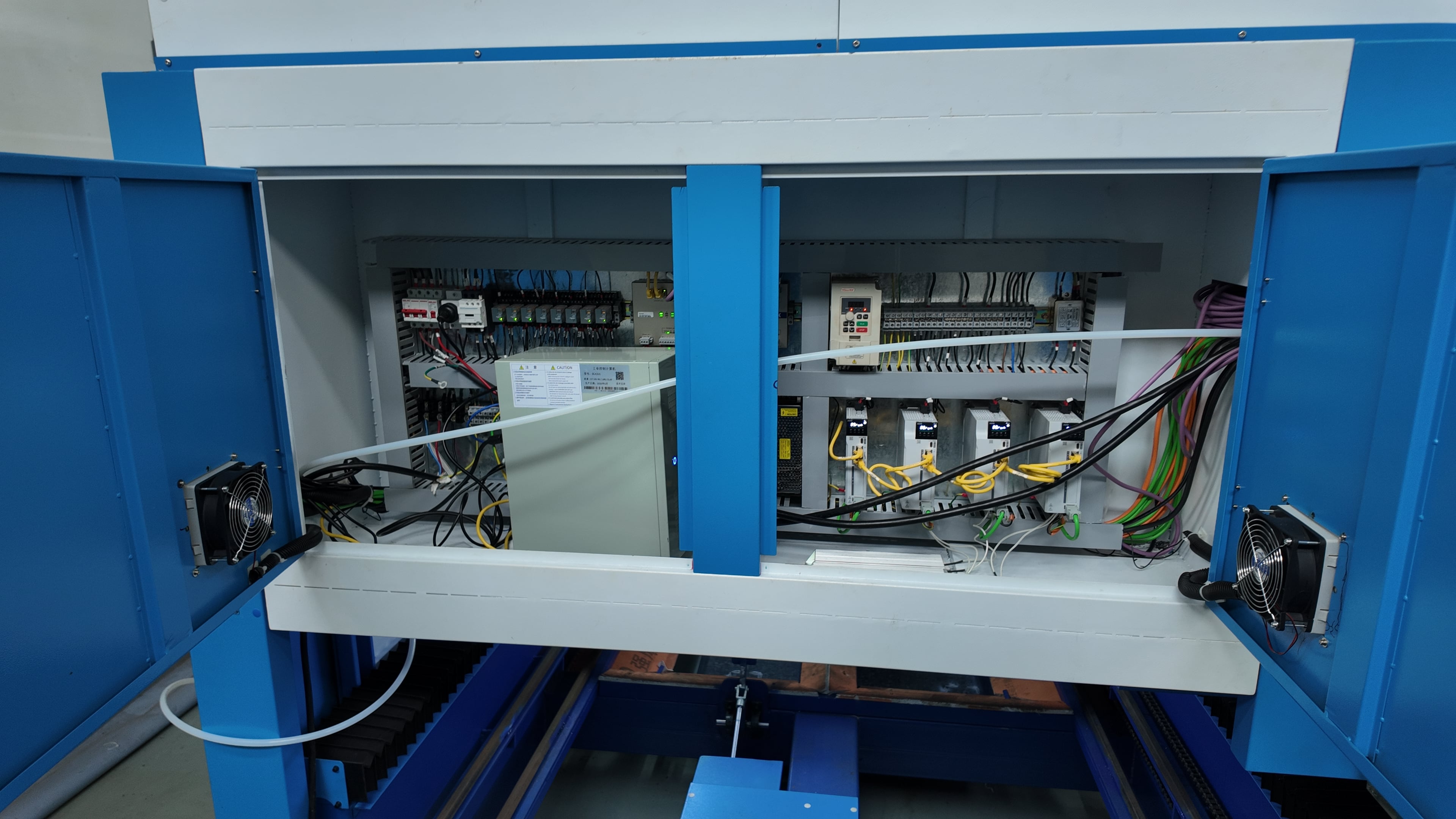
Trouble with the Electrical Supply
Look at the incoming power, the fuses, the circuit breakers, and the disconnect switches. Voltage that swings about, breakers that have tripped, or fuses that have blown can cut the power feed and keep the laser cutting machine from starting up.
The Emergency Stop Has Been Hit
Make sure every emergency stop button is fully released. If an E-stop is still engaged it locks the control system, so the laser cutting machine cannot start or run normally.
Wiring That Is Loose or Disconnected
Go over the wiring for loose connectors, frayed cables, or terminals that have come off, because steady electrical continuity is what lets the laser cutting machine start and work safely.
Errors in the Software or Controller
A CNC controller can throw up a start-related error that blocks the machine. Check for active alarms, make sure the firmware is on the latest release, and reset the controller the way the maker recommends.
Sensors That Are Not Working
Door interlocks, limit switches, and safety sensors all have to be in order. A sensor that is triggered, out of line, or faulty can trip the safety and stop the laser cutting machine from starting.
Step-by-Step Troubleshooting
Step 1 - Confirm the Power Supply
Check the voltage levels and make sure the main power switch is on. Look over every fuse and circuit breaker for damage, tripping, or failure.
Step 2 - Check the Emergency Stop and Safety Devices
Make sure all emergency stop buttons, safety doors, and interlocks are fully released. If any of them is still active, reset the system so the laser cutting machine can start safely.
Step 3 - Look Over the Wiring and Connections
Examine all electrical connections closely for damage, corrosion, or terminals that are loose. Repair or replace any wiring that has gone bad right away so startup stays safe and reliable.
Step 4 - Review the Controller Status
Power the CNC controller off and on to clear its internal state and read any error shown on screen. Update the firmware if needed and follow the maker's reset steps to bring startup and operation back to normal.
Step 5 - Test the Sensors and Switches
Check that all safety switches, door interlocks, and limit switches work fully. Test each part and change out any sensor that is faulty or unresponsive so startup stays safe and reliable.
Step 6 - Turn to the Manual or Technical Support
If none of the earlier steps clears the fault, open the machine manual for full guidance or get in touch with the maker directly for advanced technical support.
Frequently Asked Questions
Why does the machine refuse to start after the power goes out?
Once the supply comes back, a fuse may be blown, a breaker may have tripped, or the controller might need to be rebooted. Work through the power parts and reset the machine.
Is it possible for a software fault to block the machine from starting?
Yes. A controller that reports an error or firmware that has gone stale can stop initialization. Bring the firmware up to date and watch for any error codes.
How can I tell that a sensor is holding back startup?
Most units point to a sensor fault through an on-screen message or an LED. Go through every interlock, door switch, and safety sensor.
Conclusion
Heading off a failed start and sorting it out quickly matters for keeping output moving and holding downtime low. Work through the electrical system, the emergency stops, the wiring, the controller, and the sensors in order, and operators can find the real cause and correct it. Steady upkeep and a sound approach to troubleshooting will keep your laser cutting machine ready to run. If you would like more advice or deeper technical help, feel free to get in touch with the JUGAO team for expert support.

