





How to Troubleshoot Origin-Return Malfunctions of Fiber Laser Cutting Equipment
Origin‑return malfunction takes place when laser cutting hardware fails to navigate toward its preset reference coordinate. This fault brings positioning deviations, system alarm pop‑ups and unplanned production halts. It ranks among the most recurring defects encountered during day‑to‑day servicing of JUGAO laser cutting devices. If you are confronted with this malfunction, this guide will walk you through systematic diagnosis and practical fixes. You will get your equipment back into safe, stable high‑accuracy operation swiftly for continuous manufacturing output.
Understanding Origin‑Return Malfunctions for Laser Cutting Gear
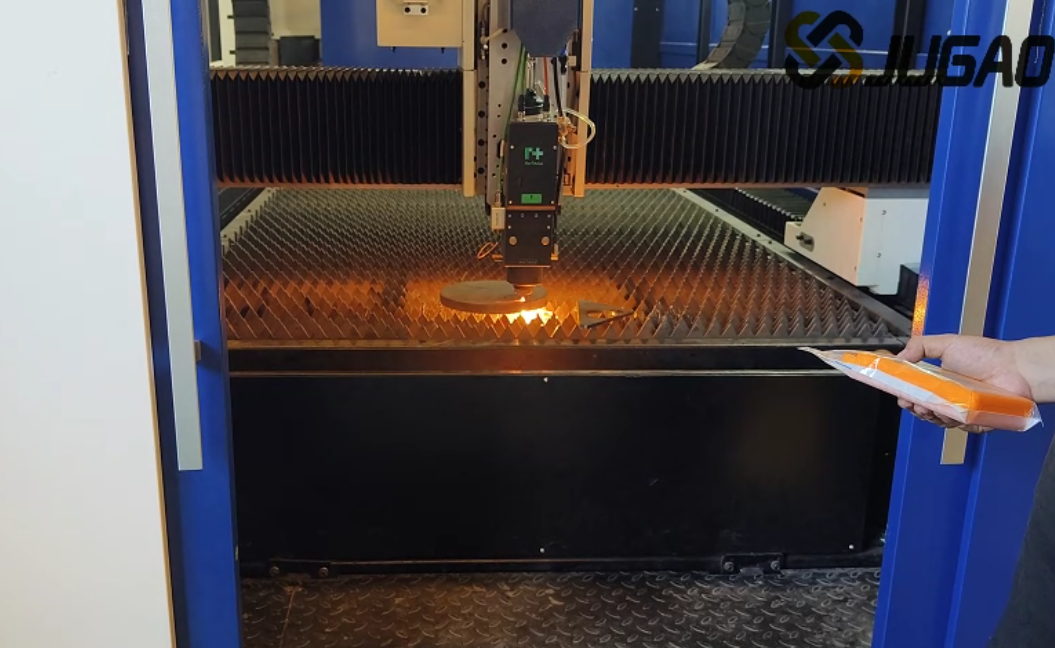
What Does Origin‑Return (Homing) Mean for Laser Cutters
Origin‑return describes the motion sequence in which machine axes travel toward factory‑defined reference points triggered by limit switches or proximity sensors. This procedure establishes the machine’s whole coordinate framework and lays the foundation for precise positioning throughout all cutting workflows.
Root Causes Behind Origin‑Return Abnormalities
Origin‑return failure arises when hardware cannot pick up the reference origin signal. This anomaly may stem from sensor degradation, cable connection defects, mechanical obstructions, or malfunctions within the numerical control operating system.
Step‑wise Troubleshooting Workflow for Origin‑Return Faults
Step 1: Examine Limit Switches and Induction Sensors
Begin diagnosis by inspecting limit switches and photoelectric proximity sensors. Dust accumulation, positional offset or physical impairment will block reliable signal acquisition. Wipe off contaminants on sensing surfaces and confirm sensors are secured in their correct mounting spots.
Step 2: Audit Cable Terminals and Circuit Connections
Loose plugs and fractured conductors represent a very typical source of origin‑return breakdown. Inspect sensor cables, plug‑in terminals and terminal blocks; confirm circuit continuity and firm connection status for every link.
Step 3: Verify Smooth Mechanical Axis Travel
Under safe operating circumstances, jog each axis manually to rule out physical barriers. Inspect guide rails, transmission assemblies and drive motors to spot jamming phenomena or abnormal movement resistance.
Step 4: Decode Alarm Notifications on the CNC Control Unit
The numerical control platform will output dedicated alarm codes once origin‑return routines abort. Refer to JUGAO official operation manuals to interpret exact fault sources and carry out matching reset operations.
Step 5: Recover and Readjust Equipment Operating Parameters
Corrupted or misconfigured origin‑related parameter sets inside CNC firmware will also provoke return‑to‑origin breakdowns. Restore factory‑default origin‑return configurations and re‑calibrate reference coordinates for each moving axis.
Step 6: Rerun Origin‑Return Routine for Validation
Once troubleshooting measures are finished, reboot the complete unit and activate origin‑return procedures again. Closely observe the travel trajectory of every axis to make certain movements run smoothly and conform to expected logic.
Typical Triggers for Laser Cutter Origin‑Return Breakdowns
Contaminated or Physically Damaged Induction Sensors
Sensing elements covered with dust, metal splatters or oil stains lose the capacity to capture triggering signals accurately.
Disrupted Electrical Signal Transmission
Defective wiring harnesses or fluctuating power supply interrupt signal transfer required for origin detection.
Mechanical Position Deviation and Jamming
Misaligned guide rails and motion assemblies hinder axes from reaching reference positions normally.
CNC Controller Software Anomalies
Program glitches or improperly adjusted software settings can result in failed origin‑return cycles.
Proactive Maintenance Advice
Periodic Decontamination for Sensors and Linear Guide Rails
Keep proximity sensors, limit switches and guide rails free of debris, to guarantee stable signal pickup.
Cyclic Circuit and Electrical Component Checks
Check cable fastening status and signal stability as part of scheduled maintenance tasks.
Adequate Lubrication for Motion‑capable Components
Maintain fluent axis movement with proper lubricant application, avoiding excessive mechanical resistance in the origin‑return process.
Frequently Asked Questions
Which factor triggers origin‑return faults most frequently?
In real‑world production scenarios, dirty or misaligned limit sensors constitute the leading cause of origin‑return malfunctions.
Is on‑site troubleshooting feasible without external technical aid?
Yes. A large share of faults can be resolved via sensor cleaning, cable inspection and parameter restoration operations.
Will repeated origin‑return errors inflict hardware harm?
This fault will not create direct component damage. Nonetheless, multiple successive failed origin‑return attempts impose extra mechanical stress on transmission structures.
Final Summary
Solving origin‑return malfunctions demands methodical inspection: start from sensor hardware, move on to wiring circuits, then mechanical assemblies and CNC configuration items. By executing above‑mentioned operations, operators can restore machine function and minimize unplanned downtime.
If the fault persists after all local troubleshooting steps, please reach out to the JUGAO technical support team for further assistance. Consistent routine inspection and preventive maintenance serve as the optimal safeguard against origin‑return breakdowns and secure long‑term reliable equipment performance.

