





Laser Drive System Maintenance Guide
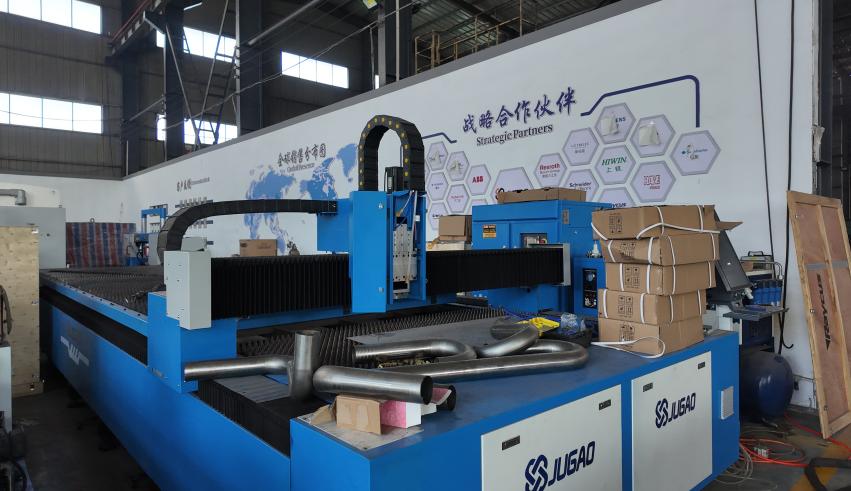
How to Maintain a Laser Drive System Efficiently
Precision cutting depends on a motion system that can position the cutting head smoothly and repeatedly. The drive system transfers commands from the CNC and servo motors to the machine axes through couplings, rails, racks, belts, reducers and related components. When these parts are contaminated, poorly lubricated, loose or misaligned, the machine may develop vibration, backlash, positioning deviation or unstable axis movement.
This JUGAO maintenance guide explains why drive-system care matters and presents a six-step procedure in the same technical order as the source material. The content has been fully rewritten to preserve the tutorial logic while reducing textual similarity.
Table of Contents
1. Why Laser Drive System Maintenance Matters
2. Step-by-Step Laser Drive System Maintenance Guide
Step 1: Inspect Servo Motors and Couplings
Step 2: Lubricate Rails and Gear Racks
Step 3: Remove Dust and Metal Debris
Step 4: Check Belts and Reducers
Step 5: Verify Axis Alignment and Calibration
Step 6: Inspect Electrical Connections
3. Common Laser Drive System Problems
4. Best Practices for Long-Term Reliability
5. Frequently Asked Questions
6. Conclusion
Why Laser Drive System Maintenance Matters
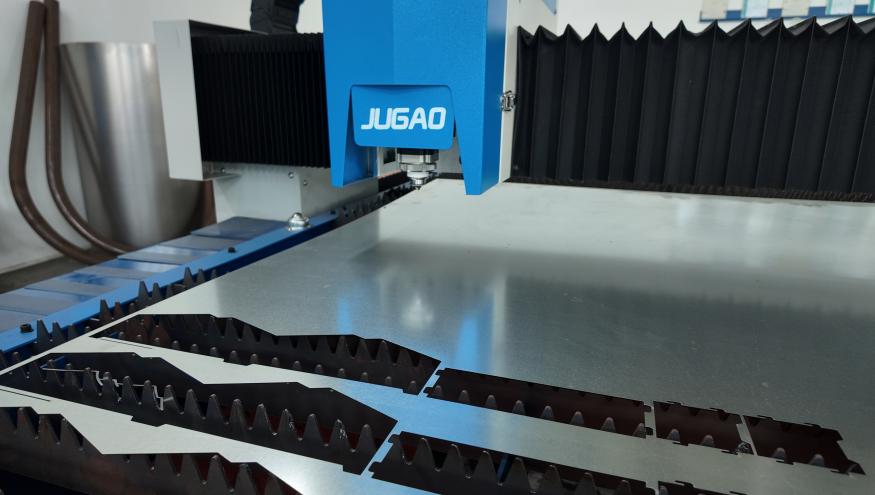
Prevents Positioning Errors
Wear, backlash, loose couplings and unstable motion can shift hole locations, reduce edge consistency and create dimensional variation. Regular inspection keeps the motion path predictable and supports repeatable cutting accuracy.
Extends Component Lifespan
Correct lubrication and timely adjustment reduce friction on servo motors, reducers, gear racks, guide rails, bearings and other high-value components. This helps delay premature wear and lowers replacement costs.
Improves Machine Stability
A properly maintained drive system moves more smoothly during acceleration, deceleration and high-speed cutting. Lower vibration improves both surface quality and overall machine stability.
Reduces Unexpected Downtime
Preventive checks reveal loose fasteners, damaged belts, lubrication shortages and electrical faults before they develop into major failures that interrupt production.
Step-by-Step Laser Drive System Maintenance Guide
Step 1: Inspect Servo Motors and Couplings
Begin with the servo motors and their mechanical connections. Listen for unusual noise, check the motor housing for excessive heat and observe whether vibration increases during axis movement. Inspect couplings for looseness, cracking or misalignment. Tighten fasteners to the specified torque and confirm that the motor shaft and transmission component remain correctly aligned.
Step 2: Lubricate Rails and Gear Racks
Apply the lubricant specified for the JUGAO machine to linear guide rails, gear racks and pinions, ball screws and bearings. Lubrication should form a consistent protective film without leaving excessive grease. Too little lubricant increases friction, while too much can attract dust and metal particles.
Step 3: Remove Dust and Metal Debris
Laser cutting creates fine particles that can settle on rails, racks, covers and moving assemblies. Clean these areas with a soft lint-free cloth, an approved brush or controlled low-pressure air. Avoid forcing contaminants deeper into bearings or enclosed guide components.
Step 4: Check Belts and Reducers
Inspect transmission belts for cracking, glazing, stretching and uneven tension. Check reducer units for oil leakage, abnormal vibration, unusual noise and excessive operating temperature. Replacing a worn belt or addressing reducer problems early helps preserve smooth axis motion.
Step 5: Verify Axis Alignment and Calibration
Use suitable calibration tools or CNC diagnostic functions to confirm X-axis and Y-axis alignment, motor synchronization and positioning accuracy. Incorrect alignment increases resistance and load on the drive system. Correct calibration improves cutting precision and reduces mechanical stress.
Step 6: Inspect Electrical Connections
Check servo-drive cables, encoder wiring and electrical terminals for looseness, corrosion, abrasion or moisture exposure. Confirm that connectors are fully seated and protected from contamination. Electrical instability can interfere with servo feedback and produce irregular motion or alarms.
Common Laser Drive System Problems
Excessive Vibration During Cutting
Common causes include worn bearings, loose rails, poor alignment, damaged couplings or weak motor synchronization. Vibration should be investigated immediately because it affects both cut quality and component life.
Abnormal Noise from Drive Components
Grinding, clicking or knocking sounds may indicate insufficient lubrication, damaged bearings, worn gears or belt problems. Noise trends should be recorded and compared with previous inspections.
Inconsistent Axis Movement
Jerky motion, hesitation or positioning deviation can result from dirty rails, loose couplings, incorrect servo tuning or unstable encoder feedback.
Overheating Servo Motors
High temperature may be caused by overload, poor ventilation, excessive friction, misalignment or electrical faults. Verify operating load and mechanical resistance before replacing the motor.
Best Practices for Long-Term Drive System Reliability
Establish Preventive Maintenance Schedules
Create daily, weekly and monthly routines based on operating hours and workshop conditions. Frequent visual checks should be supported by scheduled lubrication, calibration and detailed inspection.
Use High-Quality Lubricants
Use only lubricants that meet JUGAO or component-manufacturer specifications. Incorrect grease or oil may not provide adequate protection at high speed and can damage seals or attract contamination.
Maintain a Clean Operating Environment
Remove cutting debris regularly and keep protective covers in place. Cleaner surroundings reduce wear on rails, gears, bearings and drive components.
Train Operators Properly
Operators should recognize early warning signs such as vibration, abnormal noise, heat, jerky motion and repeated servo alarms, and report them before production continues.
Frequently Asked Questions
How often should the laser drive system be lubricated?
Many systems require lubrication every one to two weeks, but the correct interval depends on operating hours, load, environment and the maintenance schedule for the specific JUGAO model.
What causes vibration in a laser drive system?
Typical causes include worn bearings, loose rails, damaged couplings, poor alignment, belt problems, insufficient lubrication and servo synchronization errors.
Can poor maintenance affect cutting accuracy?
Yes. Backlash, unstable motion and positioning deviation directly influence hole location, edge quality and dimensional consistency.
What indicates that a reducer may be failing?
Oil leakage, rising temperature, abnormal vibration and unusual mechanical noise are common warning signs.
Should axis calibration be performed after component replacement?
Yes. Replacing a coupling, belt, reducer, motor or guide component can change alignment or positioning, so calibration and a controlled test run should follow.
Who should adjust servo parameters?
Servo tuning and parameter changes should be completed by qualified technicians using approved settings and model-specific documentation.
Conclusion
Efficient laser drive system maintenance protects positioning accuracy, machine stability and long-term productivity. By inspecting servo motors and couplings, lubricating moving components, removing contamination, checking belts and reducers, verifying alignment and monitoring electrical connections, maintenance teams can reduce wear and avoid unnecessary downtime.
JUGAO recommends integrating these procedures into a documented preventive maintenance program. For model-specific lubrication intervals, calibration methods or technical support, refer to the machine documentation or contact the JUGAO technical service team.

