





What Causes Laser Power Loss During Cutting Operations?
Laser Power Loss can hit cutting efficiency, precision, and overall output hard in metal fabrication. If your laser machine suddenly has trouble going through material, leaves uncut spots, or forces slower cutting speeds, you need to understand what is behind it. In this article, I set out the main factors that lead to laser power loss and give hands-on troubleshooting advice. Deal with these properly and operators can bring back top performance, keep accuracy, and cut down on needless downtime, which means clean cuts and smooth operation across many sheet metal materials.
The Usual Reasons behind Laser Power Loss
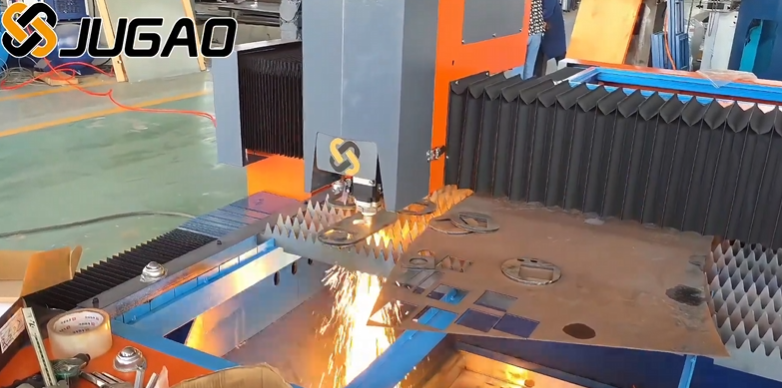
A Laser Source That Has Worn Down
Laser tubes and fiber sources lose their efficiency over time. The lower output power hits cutting performance directly, above all on thicker or reflective material.
Optics That Are Dirty or Out of Line
Contaminated mirrors, lenses, or protective glass lower the amount of laser energy that actually reaches the workpiece. Parts that are out of line cut the working power even more and can leave cuts that are uneven.
A Cooling System That Is Failing
Overheating lowers laser output and may set off a built-in power reduction. Check the coolant flow, the water quality, and how the chiller runs so the laser keeps working at its best.
Problems with the Electrical Supply
Voltage swings or an unstable power feed can bring the laser output down for a while. Make sure the power supply is steady and strong enough for dependable operation.
Reflective or Coated Material
Highly reflective metals such as aluminum or copper can bounce the laser energy back, which trims the effective cutting power and brings on power loss problems.
Assist Gas Trouble
Low pressure, the wrong gas type, or blocked nozzles can get in the way of material removal and add cutting resistance, so the laser seems weaker than it really is.
A Step-by-Step Way to Troubleshoot
Step 1: Measure the Laser Output
Use diagnostic tools or the built-in software to check the actual laser power. Put it side by side with the rated output.
Step 2: Inspect and Clean the Optics
Clean the lenses, mirrors, and protective glass on a regular basis. Realign the optics when needed so as much energy as possible reaches the work.
Step 3: Check the Cooling System
Look at the water flow, the temperature, and the coolant quality. Replace or adjust the cooling system if the laser is running too hot.
Step 4: Confirm the Electrical Supply Is Stable
Make sure the power supply meets the voltage and current needs. Think about surge protection and dedicated circuits.
Step 5: Review the Cutting Parameters
Set the focus position, feed rate, and pulse settings to fit the material type and thickness. Settings that are wrong can look just like power loss.
Step 6: Check the Assist Gas Supply
Check the gas type, the pressure, and the nozzle condition. Correct gas flow keeps material removal efficient and cutting steady.
Steps to Prevent the Problem
Keep Up with Routine Maintenance
Set regular checkups for the laser source, the optics, the cooling, and the gas systems so performance does not slip away slowly.
Train the Operators
Teach operators to spot the early signs of laser power loss and to handle setup, cleaning, and parameter changes the right way.
Think about the Material
Adjust the settings for reflective or coated material to make up for lost laser energy, so cuts do not end up incomplete.
Frequently Asked Questions
Why does my laser lose power when cutting thick metal?
Thick or reflective metal needs a higher energy density. Power loss can come from laser output that has worn down, optics that are dirty, or cutting settings that are wrong.
How often should the laser optics be cleaned?
Depending on how much you use the machine and what materials you cut, clean the lenses and mirrors at least once a week, and more often in busy or dusty shops.
Can problems with the cooling system bring on laser power loss?
Yes. Weak water flow, high temperature, or dirty coolant can lower laser efficiency and set off automatic power reduction.
How can I tell that the laser source itself has worn down?
Watch how cutting performs over time, read the power readings, and compare them with the maker's specs. A slow, steady drop points to wear in the laser source.
Conclusion
Understanding the causes of Laser Power Loss matters for keeping cut quality, efficiency, and the life of the machine in good shape. Regular checks of the laser source, the optics, the cooling, the electrical supply, and the assist gas, plus cutting settings that are right, can head off or fix power loss problems. With these troubleshooting steps, operators can bring back full performance, ensure clean cuts, and keep downtime small. For more guidance or support, contact the JUGAO technical team to fine-tune your laser cutting operations and keep the machine working at its peak.

