





How can a robotic laser welding machine's vision system be temporarily calibrated if it malfunctions?
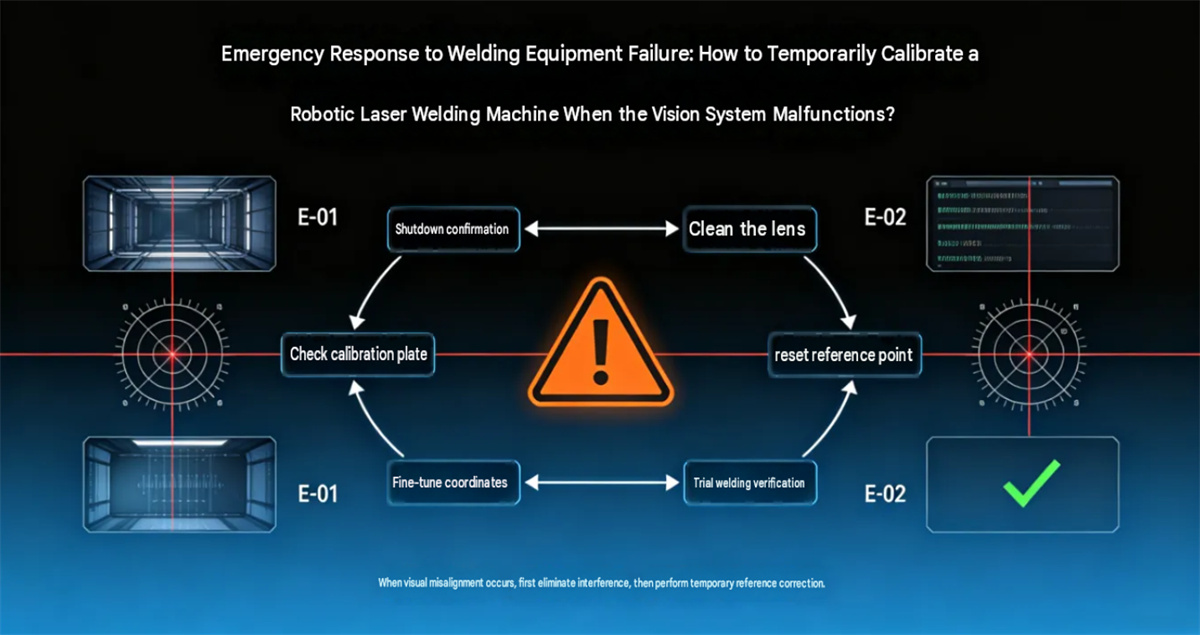
How can you perform a temporary calibration if a robotic laser welding vision system malfunctions?
In robotic laser welding production, the vision system handles tasks such as workpiece recognition, weld seam localization, and positional deviation detection. If the system experiences localization failure, recognition offset, abnormal camera imagery, or a mismatch between vision coordinates and robot coordinates, the robot may fail to locate the welding position accurately. In severe cases, this can lead to off-target welding, collisions, or defects across a batch of products.
If professional after-sales support cannot be arranged immediately on-site, you can perform basic troubleshooting and temporary calibration. However, please note: temporary calibration is suitable for addressing minor positional deviations; if the issue involves hardware failures in the camera, robot, laser head, or safety systems, disassembling or adjusting the equipment yourself is not recommended.
I. Why do robotic laser welding vision systems malfunction?
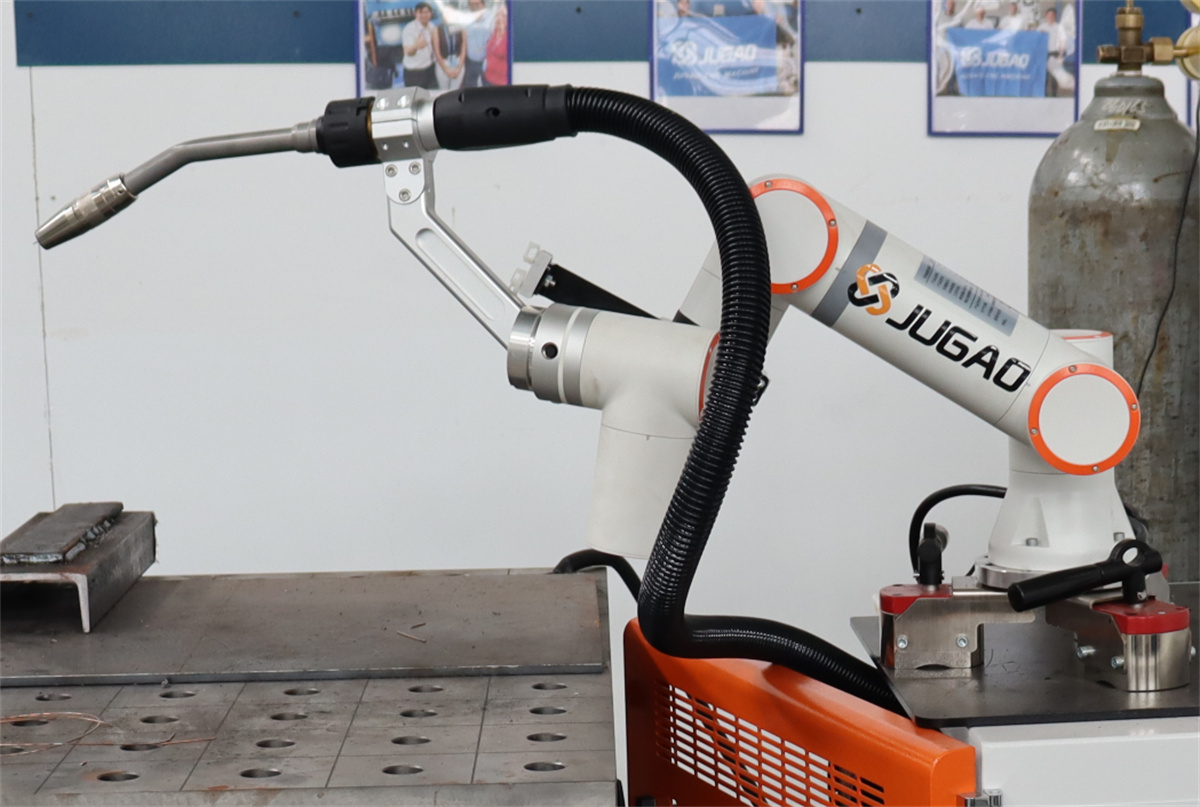
The vision system of a robotic laser welding machine typically consists of an industrial camera, lens, light source, vision control software, communication module, and the robot coordinate system.
Common causes for abnormal visual localization include:
Dust or oil stains on the camera lens surface;
Changes in workpiece position;
Significant changes in lighting conditions;
Slight shifting of the camera's mounting position;
Accidental modification of vision parameters;
Abnormal calibration data;
Deviation in the coordinate relationship between the vision system and the robot;
Communication errors;
Camera or vision controller malfunction.
Therefore, upon discovering a vision system malfunction, do not immediately modify the robot program; instead, first determine whether the issue lies with the image, the recognition process, or the coordinates.
II. Step One: Confirm if the vision system is actually broken
When a welding position offset occurs on-site, the first step is to check the current status of the vision system.
You can troubleshoot in the following order:
① Check if the camera is producing a normal image
Open the vision software or monitoring display to confirm that the workpiece is clearly visible.
If the screen is completely black, distorted (showing "snow" or artifacts), or fails to connect, prioritize checking the camera's power supply, communication, and connection status rather than attempting coordinate calibration.
② Check the lens and protective glass
Laser welding environments are prone to generating smoke, spatter, and metal dust. If the lens or protective glass becomes contaminated, the workpiece outline may become unclear, thereby hindering recognition. Clean the equipment according to the manufacturer's instructions.
③ Check workpiece positioning
Verify that the workpiece is placed according to the original positioning method. If the fixture's position has changed, the position detected by the vision system may differ from the original production state.
④ Review vision recognition results
If the camera can clearly see the workpiece but the detected position is significantly abnormal, further inspection of the vision parameters and coordinate relationships is required.
III. Step 2: Re-verify recognition performance after cleaning the lens
Many vision positioning anomalies are not caused by issues with calibration data, but rather by contamination within the camera's field of view.
Before cleaning, stop the relevant equipment in accordance with safety protocols; avoid performing maintenance while the robot or laser system is in automatic operation.
Key areas to inspect:
Industrial camera lens;
Protective glass;
Presence of smoke or dust around the lens;
Camera mounting bracket (check for looseness);
Obstructions within the field of view.
After cleaning, restart the vision recognition program and observe whether the system can correctly recognize the same standard workpiece.
If recognition returns to normal after cleaning, there is generally no need to modify the vision calibration parameters.
IV. Step 3: Check for changes in camera position
If the vision system's image feed is normal but the detected position shows a consistent offset, the camera's mounting position must be checked.
For example:
The camera originally identified the weld seam center at Point A, but after the equipment ran for a period, the recognition results for all workpieces shifted in the same direction.
In this scenario, focus on checking:
Camera bracket looseness;
Camera mounting screws;
Lens rotation;
Positional changes in the laser welding head or robot end-effector;
Displacement of the workpiece fixture.
If the camera's physical position has indeed changed, the original calibration data may no longer be valid.
Do not simply adjust the robot program coordinates to "compensate" for the shift; doing so could lead to greater deviations during future recalibration.
V. Step 4: Perform temporary calibration using a standard workpiece
If the vision system is confirmed to be capturing images and recognizing objects correctly but exhibits a slight coordinate deviation, a standard workpiece or calibration target can be used for basic calibration. The basic approach is:
Fix a reference object → Visual recognition → Obtain visual coordinates → Compare with actual robot coordinates → Determine the deviation → Recalibrate according to the equipment's calibration procedure.
For example, if the robot moves to a position with a consistent offset after the vision system identifies the reference location, the deviation in the X and Y directions can be recorded.
If the deviation is very small and stable, the correction should ideally be performed following the vision calibration procedure provided by the equipment manufacturer.
It is crucial not to arbitrarily modify vision parameters or robot coordinates based solely on experience. Differences in brands of vision systems, robot controllers, and software architectures mean that specific operating procedures vary.
VI. Step 5: Check for consistency between visual coordinates and robot coordinates
Visual positioning in robotic laser welding systems essentially involves transformations between different coordinate systems.
Common coordinate relationships include:
Camera coordinates → Workpiece coordinates → Robot coordinates → Laser welding execution position
If a deviation occurs in any of these coordinate relationships, the robot might "see the workpiece but weld in the wrong location."
For example:
The vision system detects a change in the weld seam position, yet the robot's actual position after movement remains offset in a fixed direction; in this case, the visual coordinate transformation and robot coordinate calibration need to be checked.
If the equipment features a robust automatic calibration function, the calibration procedure can be executed via the equipment's operating interface; if such a function is unavailable, the task should be handled by technicians experienced with both robots and vision systems.
VII. Step 6: Check if vision parameters have been modified inadvertently
A situation sometimes arises on the production floor where:
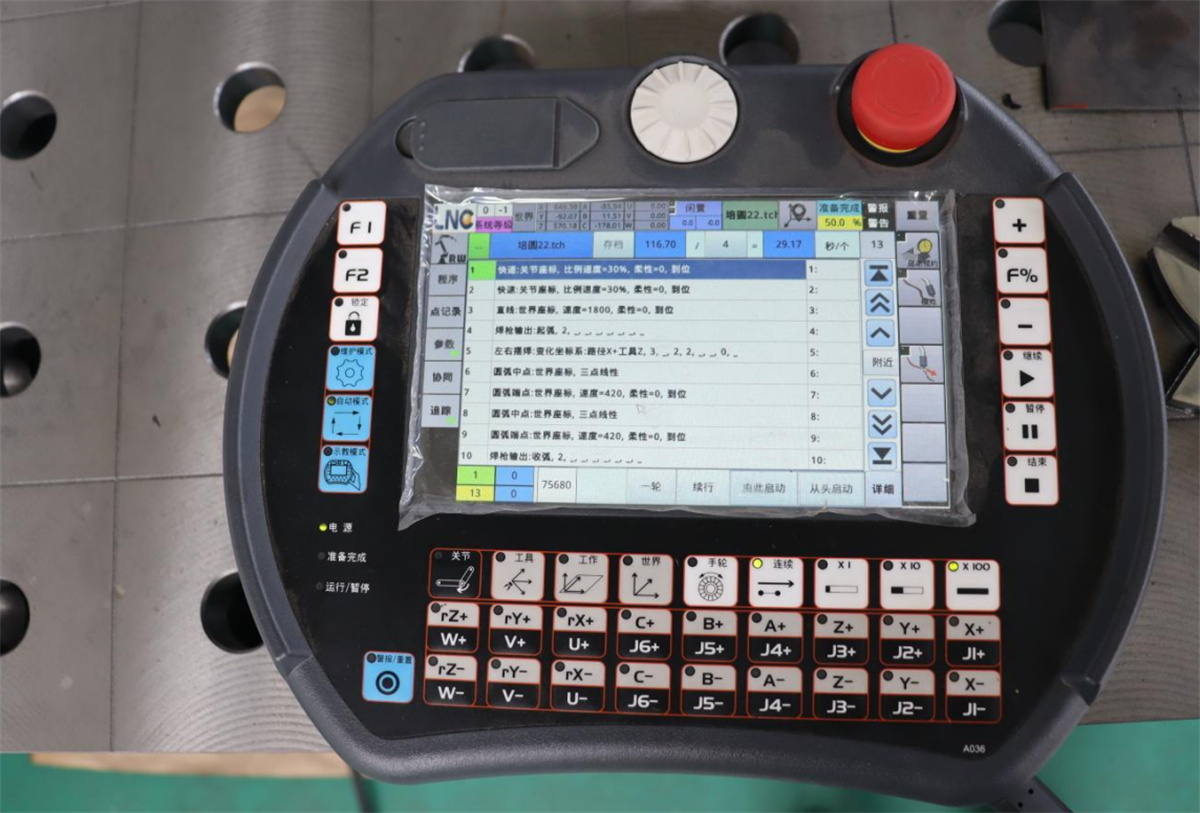
The equipment itself is not faulty, but the vision program parameters have been altered.
For example:
Exposure parameters changed;
Gain settings altered;
Threshold parameters changed;
Region of interest (ROI) modified;
Edge detection parameters changed;
Template parameters altered;
Incorrect product program selected.
If the equipment was previously operating normally but recognition issues suddenly appear after a shift change or product switch, it is advisable to check whether the vision program has been modified recently.
It is recommended that companies back up validated vision programs and establish appropriate access controls to minimize the risk of on-site personnel accidentally altering core parameters.
VIII. Why shouldn't the robot welding program be modified directly for temporary calibration? This is a common pitfall when addressing visual anomalies on-site.
For example, if a robot’s welding position was originally correct but has now shifted by 2mm overall, someone might simply shift all the weld points in the robot program by 2mm.
While this might restore production in the short term, the approach carries risks.
The underlying issue could stem from:
Changes in camera position;
Changes in calibration data;
Changes in the workpiece fixture;
Anomalies in coordinate transformation;
Changes in the robot's end-effector position.
If the root cause is not addressed, modifying only the robot program could lead to a further mismatch between the vision system coordinates and the robot coordinates.
Therefore, a more rational approach is to:
First, identify the source of the deviation, then decide whether to recalibrate the vision system, adjust the fixture, or correct the robot program.
IX. What steps should be taken after temporarily restoring production?
If production is temporarily restored via basic calibration, proceeding immediately to mass production is not recommended.
Small-batch verification should be conducted first.
The process should follow this sequence:
Single-part test → Continuous test → Spot checks → Full-scale production
Key checks include:
Accuracy of the welding position;
Stability of seam tracking;
Appearance of the weld;
Presence of weld misalignment;
Consistency of workpiece positioning;
Drift in vision recognition after continuous operation.
Only proceed to full-scale production if the recognition position remains stable during continuous testing.
X. When is on-site temporary calibration not recommended?
Not all vision system malfunctions are suitable for on-site resolution.
Stop automatic welding and contact the equipment manufacturer or professional technicians if the following occur:
Camera connection failure;
Hardware fault reported by the vision controller;
Complete loss of calibration data;
Significant impact/collision involving the camera or lens;
Robot collision;
Change in laser head position;
Abnormalities in the robot's zero position or mechanical parameters;
Persistent, significant drift in vision recognition results;
Safety alarms triggered;
Uncertainty regarding the impact of parameter changes.
Arbitrary modifications made solely to quickly restore production are discouraged, especially when involving the robot unit, laser source, safety circuits, or critical calibration data.
XI. How can failures in robot laser welding vision systems be minimized?
Routine maintenance is more important than addressing failures after they occur.
Regularly clean the vision system
Establish inspection and cleaning schedules for components such as lenses and protective glass based on the production environment.
Secure the camera mounting structure
Periodically check camera brackets and mounting screws to minimize positional shifts caused by mechanical vibration.
Back up calibration data
Back up validated vision programs, calibration parameters, and robot programs.
Manage operational access
Restrict unauthorized personnel from arbitrarily modifying vision parameters or robot programs.
Conduct regular accuracy verification
Use standard workpieces to periodically verify the alignment between visually identified positions and the robot's actual execution positions.
Maintain equipment maintenance records
Document vision system anomalies, parameter changes, calibration details, and maintenance activities to facilitate future troubleshooting.
XII. Selecting Robotic Laser Welding Systems: Vision System Stability is Crucial
For robotic laser welding projects requiring visual positioning, seam recognition, and complex path welding, the vision system is not merely an add-on industrial camera; it must be seamlessly integrated with the robot, laser head, control system, tooling/fixtures, and welding process.
Therefore, when selecting robotic laser welding equipment, one should consider not only the robot brand and laser power but also the following:
Visual positioning method;
Visual recognition accuracy;
Calibration method;
Coordinate transformation method;
Software operation method;
Anomaly alarm functions;
Data backup method;
After-sales technical support capabilities.
For non-standard automation projects in particular, verification using actual workpieces prior to equipment delivery is essential.

