





Why Can't My Laser Cutter Cut Through Metal Sheet?
Problems where a laser cutter fails to get through metal sheet rank among the things machine operators deal with most often. When the unit suddenly has trouble piercing the workpiece, leaves areas it never finished, or turns out edges that look poor, you are far from the only one. From what I have seen, this kind of trouble tends to come from several sources: laser output that is not high enough, cutting settings that are wrong, a nozzle that has picked up dirt, problems with the optics, or an assist gas that is not behaving. Below I walk through the main reasons a cutter cannot break through sheet metal and the practical checks that bring cutting back to normal without delay.
Usual Causes Why a Cutter Fails to Get Through Metal Sheet
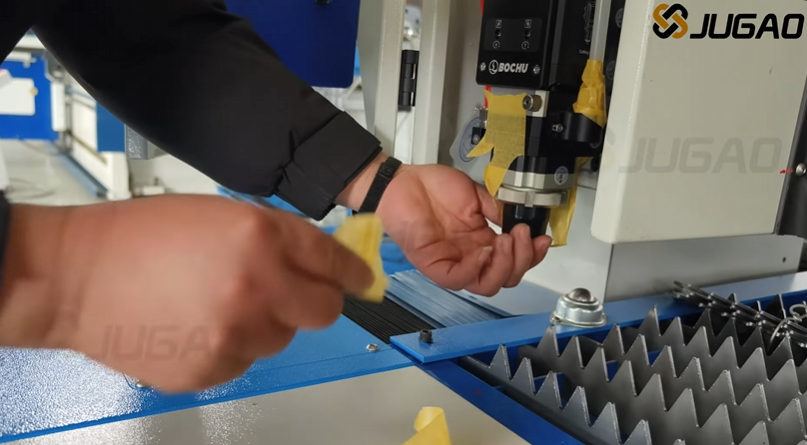
Laser Output That Is Not Strong Enough
The very first thing I look at is whether the source is really putting out the power it should. As the machine gets older, its laser parts slowly lose strength, and the ability to cut drops along with them.
Typical warning signs are:
The cut does not go all the way through
Extra burrs form along the edges
Cutting speed drops noticeably
Thicker material becomes very hard to process
When a machine handled the same sheet fine before and now cannot, a worn-down laser source is a strong suspect.
Cutting Settings That Are Off
Settings that are not right stand as another big reason why a cutter fails to go through sheet metal the way it should.
The values worth double-checking are:
How much laser power is being used
The cutting speed
The pulse frequency
The focus position
The assist gas pressure
A tiny change in any of these numbers can shake up the whole job, most of all on stainless steel or heavy carbon plate.
A Nozzle That Is Dirty or Damaged
The nozzle is what sends the assist gas toward the cutting point. Once it picks up dirt or gets knocked out of shape, the gas stream no longer flows evenly.
Typical problems you will see are:
The beam does not go through completely
Cut edges look rough
A lot of dross stays on the part
The kerf width turns out uneven
Keeping a close eye on the nozzle is part of keeping the cut quality at its best.
A Contaminated Protective Lens
When the protective lens is not clean, it soaks up part of the beam, so less energy actually lands on the material.
I tend to take a look at the lens as soon as I see:
Cutting efficiency goes down
Heat builds up more than usual
Burn marks show up on the material
The cut stops without warning
Usually, giving the lens a clean or putting in a fresh one fixes the trouble.
A Step-by-Step Plan to Fix Cut-Through FailuresStep 1: Confirm the Material Specifications
Before I touch any setting, I first pin down what kind of material I am dealing with and how thick it is.
Things to look at are:
The material grade
The sheet thickness
The condition of any surface coating
How flat the material is
Some coated or shiny materials will not behave like plain sheet and call for their own set of settings.
Step 2: Check the Laser Power Output
Pull up the machine's diagnostics or put a power meter on the beam to see what the real output is.
When the number comes back well under the rated value:
Inspect the laser source
Check the optical components
Review the maintenance records
Less power means the beam loses the strength it needs to go all the way through.
Step 3: Look at the Focus Position
Getting the focus wrong is one of the more common reasons cuts fail.
To get the focus right:
Run a focus test
Compare the kerf widths
Move the focal point to match how thick the plate is
Save the parameters you settled on
Right focus puts the full energy of the beam exactly where the material has to split.
Step 4: Inspect the Nozzle Closely
Take the nozzle off and study it carefully.
You are checking for:
Spatter buildup
Deformation
Blocked openings
Misalignment
Swap out any nozzle that is damaged without delay so the gas can flow evenly again.
Step 5: Check the Assist Gas Pressure
The assist gas is what blows the melted metal out of the kerf, and that job matters a great deal.
To get the best outcome:
Check the gas purity
Verify the pressure settings
Inspect the gas supply lines
Make sure the regulators work the way they should
If the gas pressure is too low, cuts tend to stay unfinished and slag piles up on the edges.
Step 6: Clean the Optical Parts
Optics that are not clean let less of the beam pass through, which cuts the cutting power.
Go over and wipe down:
The protective lenses
The collimating lenses
The focusing lenses
The laser window surfaces
Only use the cleaning products the maker approves of, or you can scratch the coating on the optics.
Maintenance Habits That Stop Cut Failures Before They StartCarry Out Daily Machine Inspections
It pays to check every day:
The nozzle condition
How clean the lens is
The gas pressure
The status of the cooling system
Short checks like these catch trouble early, before it can slow down the work.
Keep the Cooling System Running Well
If the machine runs too hot, the laser loses power and delicate parts can take damage.
Keep an eye on:
The water temperature
The coolant quality
How the chiller runs
The water flow rates
Steady cooling keeps the cutting power even from start to finish.
Stick to the Recommended Maintenance Schedule
Sticking to a set maintenance routine holds the machine at its best level of performance.
The important jobs are:
Cleaning the optics
Replacing the filters
Inspecting the cables
Checking the servo systems
Calibrating the cutting head
Looking after the machine ahead of time cuts way down on surprise shutdowns.
Frequently Asked QuestionsWhy can't my laser cutter cut through metal sheet even at full power?
Running at full power is not a promise that the cut will work. A lens that is dirty, focus that is off, weak gas pressure, or a bad nozzle can all keep the beam from getting all the way through.
How often should I clean the protective lens?
How often you clean it comes down to how much you run the machine and what you cut. In heavy production I would check the lens every day and clean it as soon as you can see any dirt.
Can low assist gas pressure cause incomplete cuts?
Yes. When the assist gas pressure is not enough, the molten metal does not get pushed out the way it should, so the cut stays unfinished, slag forms, and the edges turn out rough.
Conclusion
The moment a cutter stops getting through metal sheet, the cause is usually hiding in the laser power, the cutting settings, the focus, the nozzle, the assist gas pressure, or the optics. Work through the checks in a set order and keep up your maintenance, and you will find the culprit fast and get the machine cutting right again.
Steady inspections, settings that are tuned correctly, and preventive care are what keep laser cutting dependable. If you ever want a hand working out a cutting problem or tuning the machine, reach out to the JUGAO technical team and they will help you with professional guidance.

