





How to Troubleshoot Laser Cutting Slag Problem Quickly
Slag Buildup on Laser-Cut Parts Is One of the Most Frequent Quality Problems in Laser Cutting Slag buildup on laser-cut parts is one of the most frequent quality problems seen in laser cutting work. If you are dealing with a lot of slag clinging to the underside of your part, rough edge finish, or longer cleanup time after each job, you are not the only one. In my experience, this buildup is usually the result of cutting parameters that are not set right, assist gas that is not tuned correctly, a nozzle that is in poor condition, or dirty optical parts. In this guide, I explain the most common reasons behind laser cutting slag and give practical steps to bring back clean, precise cuts and lift production efficiency.
Getting to Know the Laser Cutting Slag Problem
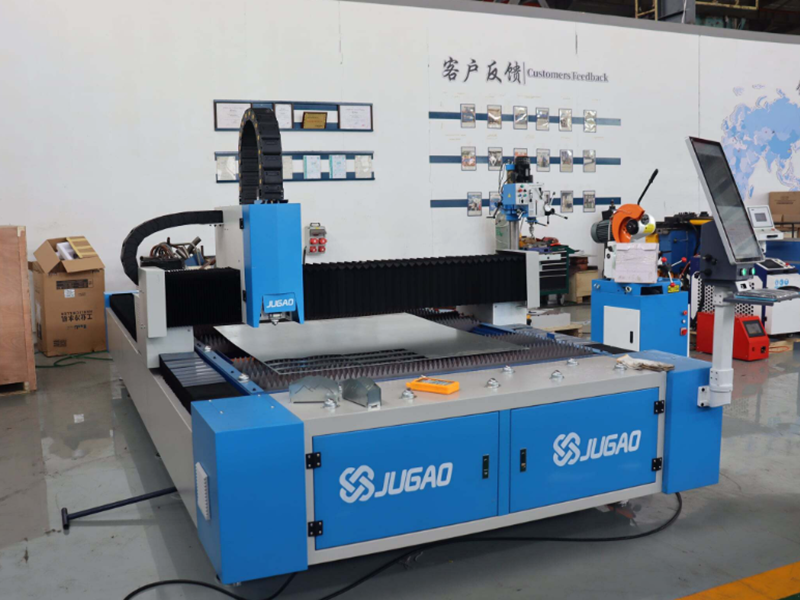
Defining Slag in Laser Cutting
Slag is the molten metal that is not pushed fully out of the kerf while the beam cuts. Instead of being swept away by the assist gas, it cools and sticks to the lower edge of the part.
Signs that are commonly seen include:
Rough underside edges
Heavy dross buildup
Hard-to-finish parts
Lower part quality
Reading the type and look of the slag helps you reach the real cause more quickly.
Why Slag Buildup Deserves Attention
Ignoring this problem can bring several downsides:
Higher production costs
Longer finishing work
Loss of dimensional accuracy
Unhappy customers
Lower overall output
Dealing with it early keeps cutting quality steady.
Why Slag Appears: The Common Causes
Cutting Speed Set Incorrectly
Cutting speed has a strong effect on how much slag forms.
If the speed is set too slow:
Heat keeps building up
More molten metal is produced
Slag increases sharply
If the speed is set too fast:
The beam may not cut all the way through
Molten metal cannot be blown out properly
The cut stops short and slag forms
Finding the right speed is the key.
Wrong Assist Gas Pressure
Assist gas is what clears molten metal out of the cutting zone.
Problems with the gas usually come from:
Pressure that is too low
An unsteady gas flow
Contaminated gas
Choosing the wrong gas
Gas pressure that is too low is one of the top causes of slag buildup.
A Misplaced Focus Point
The focal point decides where the beam energy is concentrated.
A wrong focus setting can lead to:
Melting that is incomplete
A wider kerf
Too much dross
Lower cutting efficiency
Calibrating the focus on a regular basis keeps these issues away.
A Damaged or Soiled Nozzle
The nozzle is what guides assist gas into the cutting area.
A damaged nozzle can cause:
Gas spread that is uneven
Turbulent airflow
Less effective slag removal
Poor edge quality
Even a tiny defect in the nozzle can create real cutting problems.
A Soiled Protective Lens
A lens with dirt on it lets less laser energy through.
Signs to look for include:
Dropped cutting power
Heavy slag
Rough edges
Extra heat buildup
Cleaning the lens routinely is vital to keep cutting performance.
The Condition of the Material Surface
Rust, oil, coatings, and oxidation can all get in the way of clean cutting.
Dirty material often results in:
Excessive slag
Poor edge quality
Unstable cutting behavior
Preparing the material before cutting leads to better results.
Working Through the Slag Problem Step by Step
Step 1: Study the Slag's Appearance
I always start by looking closely at the slag itself.
Ask yourself these questions:
Is the slag soft or hard?
Is it gathered in certain spots?
Does it show up evenly across the whole sheet?
The way the slag looks usually gives useful clues about what is wrong.
Step 2: Confirm the Cutting Parameters
Open the cutting program and compare its settings with the values that are recommended.
Check these points:
Laser power
Cutting speed
Focus position
Frequency settings
Change the settings little by little and test after every adjustment.
Step 3: Review the Assist Gas Pressure and Purity
Verify the following:
Gas type
Pressure level
Flow stability
Gas purity
For stainless steel, the purity of the nitrogen matters a lot for getting clean cuts.
Step 4: Examine the Nozzle
Take the nozzle off and look it over carefully.
Check for:
Damage
Spatter buildup
Misalignment
Blockages
Fit a new nozzle if anything looks wrong.
Step 5: Wipe the Protective Lens
Look at the protective lens under good light.
Check for:
Dust
Smoke residue
Burn marks
Scratches
A clean lens lets the maximum amount of laser energy reach the material.
Step 6: Judge the Material Quality
Look over the sheet before you start cutting.
Check for:
Rust
Oil contamination
Oxidation
Surface coatings
Using clean, flat material improves cutting quality a great deal.
Preventive Upkeep to Keep Slag Away
Carry Out Daily Machine Checks
Before production begins, I suggest checking:
Nozzle condition
Lens cleanliness
Gas pressure
Cooling system operation
Daily checks help keep unexpected quality problems from appearing.
Keep the Optical Parts in Good Order
Clean the optical parts on a regular schedule, including:
Protective lenses
Focusing lenses
Laser windows
Well-kept optics boost cutting efficiency and cut down on slag.
Watch the Assist Gas System
Inspect these items often:
Gas regulators
Hoses
Connectors
Filters
Steady gas delivery is what makes slag removal work well.
Frequently Asked Questions
What lies behind most Laser Cutting Slag Problems?
The usual reasons are cutting speed set incorrectly, assist gas pressure that is too low, a poor focus position, a damaged nozzle, and dirty optical parts.
Is low gas pressure able to create heavy slag?
Yes. When assist gas pressure is too low, molten metal is not pushed out effectively, so slag builds up on the underside of the part.
How frequently does the nozzle need checking?
For high-volume work, I recommend checking the nozzle every day and replacing it right away when damage or contamination is found.
Conclusion
A Laser Cutting Slag Problem usually means something in the process needs to be corrected. Whether it comes down to the cutting parameters, assist gas pressure, focus position, nozzle condition, dirty optics, or material quality, working through the issue in a structured way can find the root cause quickly. By carrying out routine checks, keeping optical parts clean, tuning the cutting parameters, and ensuring a stable gas supply, you can lower slag noticeably and get cleaner, more precise cuts. If you need more help with laser cutting optimization or troubleshooting, feel free to contact the JUGAO technical team for professional support and expert guidance.

